Use case · 36 files
Test file upload limits
Upload forms fail in predictable ways: files just over the limit, empty files, and files whose extension doesn’t match their content. These files let you test each boundary. Sizes use binary units (1 MB = 1,048,576 bytes), and the size-targeted media files land just under their label.
Download all with curl
# 36 files, 1.8 GB in total
while read -r url; do curl -LO --fail "$url"; done <<'EOF'
https://files.samplefiles.com/large-files/bin/sample-1mb.bin
https://files.samplefiles.com/large-files/bin/sample-10mb.bin
https://files.samplefiles.com/large-files/bin/sample-25mb.bin
https://files.samplefiles.com/large-files/bin/sample-50mb.bin
https://files.samplefiles.com/large-files/bin/sample-100mb.bin
https://files.samplefiles.com/large-files/bin/sample-250mb.bin
https://files.samplefiles.com/large-files/bin/sample-500mb.bin
https://files.samplefiles.com/image/jpg/sample-100kb.jpg
https://files.samplefiles.com/image/jpg/sample-500kb.jpg
https://files.samplefiles.com/image/jpg/sample-1mb.jpg
https://files.samplefiles.com/image/jpg/sample-2mb.jpg
https://files.samplefiles.com/image/jpg/sample-5mb.jpg
https://files.samplefiles.com/image/jpg/sample-10mb.jpg
https://files.samplefiles.com/image/jpg/sample-20mb.jpg
https://files.samplefiles.com/video/mp4/sample-1mb.mp4
https://files.samplefiles.com/video/mp4/sample-5mb.mp4
https://files.samplefiles.com/video/mp4/sample-10mb.mp4
https://files.samplefiles.com/video/mp4/sample-50mb.mp4
https://files.samplefiles.com/video/mp4/sample-100mb.mp4
https://files.samplefiles.com/document/pdf/sample-1mb.pdf
https://files.samplefiles.com/document/pdf/sample-5mb.pdf
https://files.samplefiles.com/document/pdf/sample-10mb.pdf
https://files.samplefiles.com/document/pdf/sample-25mb.pdf
https://files.samplefiles.com/video/mp4/sample-250mb.mp4
https://files.samplefiles.com/video/mp4/sample-500mb.mp4
https://files.samplefiles.com/edge-cases/empty/zero-byte.jpg
https://files.samplefiles.com/edge-cases/empty/zero-byte.pdf
https://files.samplefiles.com/edge-cases/empty/zero-byte.mp4
https://files.samplefiles.com/edge-cases/empty/zero-byte.csv
https://files.samplefiles.com/edge-cases/mislabeled/html-named.jpg
https://files.samplefiles.com/edge-cases/mislabeled/png-named.jpg
https://files.samplefiles.com/edge-cases/mislabeled/pdf-named.docx
https://files.samplefiles.com/edge-cases/mislabeled/sample.php.jpg
https://files.samplefiles.com/edge-cases/mislabeled/UPPERCASE.JPG
https://files.samplefiles.com/edge-cases/mislabeled/r%C3%A9sum%C3%A9%20%E6%96%87%E4%BB%B6%20%281%29.pdf
https://files.samplefiles.com/edge-cases/mislabeled/long-file-name-xxxxxxxxxxxxxxxxxxxxxxxxxxxxxxxxxxxxxxxxxxxxxxxxxxxxxxxxxxxxxxxxxxxxxxxxxxxxxxxxxxxxxxxxxxxxxxxxxxxxxxxxxxxxxxxxxxxxxxxxxxxxxxxxxxxxxxxxxxxxxxxxxxxxxxxxxxxxxxxxxxxxxxxxxxxxxxxxxxxxxxxxxxxxxxxxxxxxxxxxxxxxxxxxxxxxxxxxxxxxxxxxxxxxxxx.txt
EOF
Read first: How to create a test file of any size (1 GB, 2 GB, 4 GB and more) · How to test file uploads properly
Exact-size binary files
Random data at byte-exact sizes. It doesn’t compress, so the transfer size matches the file size.
| File | Size | Details | Download |
|---|---|---|---|
| 1 MB test filesample-1mb.bin | 1 MB | Download | |
| 10 MB test filesample-10mb.bin | 10 MB | Download | |
| 25 MB test filesample-25mb.bin | 25 MB | Download | |
| 50 MB test filesample-50mb.bin | 50 MB | Download | |
| 100 MB test filesample-100mb.bin | 100 MB | Download | |
| 250 MB test filesample-250mb.bin | 250 MB | Download | |
| 500 MB test filesample-500mb.bin | 500 MB | Download |
Integer-overflow boundaries
Uploads that pass 2 GB or 4 GB break code that stores sizes in 32-bit integers, and FAT32 cannot hold files over 4 GB. These are quicker to make than to download: use the in-browser generator or the commands below.
Need 1 GB, 2 GB or 4 GB + 1 byte?
We host files up to 500 MB. Bigger test files are quicker to make than to download, and the boundaries that break software are 2 GB (2³¹ bytes, the signed 32-bit limit) and 4 GB (2³², the unsigned 32-bit and FAT32 limit). Use the in-browser generator for any exact size (for example 2 GB or 4 GB + 1 byte), or one of these commands:
# Random bytes: incompressible, so the bytes on the wire match the file size
head -c 1073741824 /dev/urandom > sample-1gb.bin          # 1 GB
head -c 2147483648 /dev/urandom > sample-2gb.bin          # 2 GB = 2^31 (signed 32-bit overflow)
head -c 4294967297 /dev/urandom > sample-4gb-plus-1.bin   # 4 GB + 1 byte (unsigned 32-bit, FAT32)
# Instant, zero-filled (sparse) files
truncate -s 4294967297 sample-4gb-plus-1.bin
fallocate -l 10G sample-10gb.bin# Instant, zero-filled file (size in bytes)
mkfile -n 4294967297 sample-4gb-plus-1.bin:: Command Prompt: instant, zero-filled (may need an administrator prompt)
fsutil file createnew sample-4gb-plus-1.bin 4294967297# Zero-filled, no admin rights needed
$f = [IO.File]::Create("$PWD\sample-4gb-plus-1.bin"); $f.SetLength(4294967297); $f.Close()
# Random bytes, 1 GB (1,024 chunks of 1 MB)
$b = New-Object byte[] 1MB; $r = [Security.Cryptography.RandomNumberGenerator]::Create()
$f = [IO.File]::Create("$PWD\sample-1gb.bin"); 1..1024 | % { $r.GetBytes($b); $f.Write($b, 0, $b.Length) }; $f.Close()Zero-filled files compress to almost nothing, so use random bytes when anything between you and the server (a proxy, rsync, or SSH compression) might compress the transfer. More detail in the guide How to create a test file of any size.
Images sized to common limits
Real, viewable images sized just under common upload limits.
| File | Size | Details | Download |
|---|---|---|---|
| 100 KB JPG imagesample-100kb.jpg | 98.8 KB | 322×241 | Download |
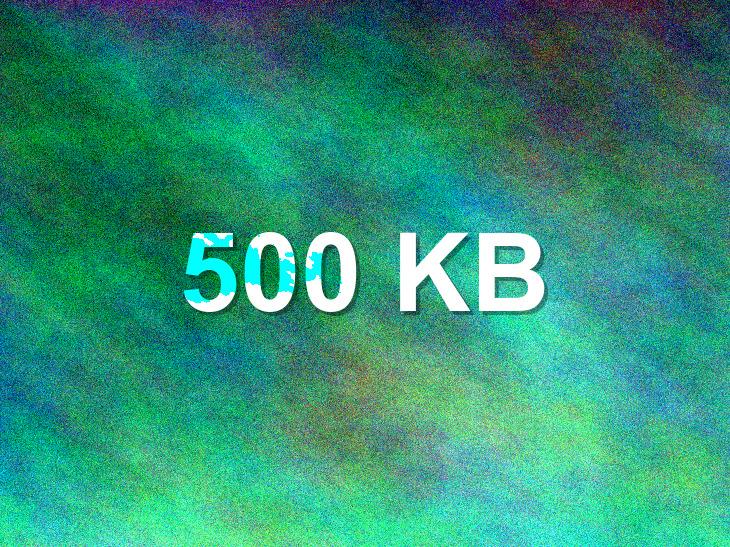
| 500 KB JPG imagesample-500kb.jpg | 491 KB | 730×547 | Download |
| 1 MB JPG imagesample-1mb.jpg | 998 KB | 1048×786 | Download |
| 2 MB JPG imagesample-2mb.jpg | 1.9 MB | 1500×1125 | Download |
| 5 MB JPG imagesample-5mb.jpg | 4.9 MB | 2372×1779 | Download |
| 10 MB JPG imagesample-10mb.jpg | 9.8 MB | 3353×2514 | Download |
| 20 MB JPG imagesample-20mb.jpg | 19.9 MB | 4796×3597 | Download |





Videos and PDFs by size
For forms that only accept media or documents.
| File | Size | Details | Download |
|---|---|---|---|
| 1 MB MP4 videosample-1mb.mp4 | 998 KB | 1920×1080 · 10s · H.264 | Download |
| 5 MB MP4 videosample-5mb.mp4 | 4.8 MB | 1920×1080 · 10s · H.264 | Download |
| 10 MB MP4 videosample-10mb.mp4 | 9.7 MB | 1920×1080 · 30s · H.264 | Download |
| 50 MB MP4 videosample-50mb.mp4 | 49 MB | 1920×1080 · 30s · H.264 | Download |
| 100 MB MP4 videosample-100mb.mp4 | 98 MB | 1920×1080 · 1m · H.264 | Download |
| 1 MB PDFsample-1mb.pdf | 963 KB | 8 pages | Download |
| 5 MB PDFsample-5mb.pdf | 4.6 MB | 8 pages | Download |
| 10 MB PDFsample-10mb.pdf | 9.3 MB | 8 pages | Download |
| 25 MB PDFsample-25mb.pdf | 24.2 MB | 21 pages | Download |
Large videos
Real, playable MP4s just under 250 MB and 500 MB — for chunked and resumable uploads and transcoding queues.
| File | Size | Details | Download |
|---|---|---|---|
| MP4 250 MB (upload test)sample-250mb.mp4 | 243 MB | 1920×1080 · 51s · H.264 | Download |
| MP4 500 MB (upload test)sample-500mb.mp4 | 487 MB | 1920×1080 · 1m 42s · H.264 | Download |
Empty files
Zero-byte files should be rejected with a clear message, not a server error.
| File | Size | Details | Download |
|---|---|---|---|
| Zero-byte .jpg filezero-byte.jpg | 0 B | Download | |
| Zero-byte .pdf filezero-byte.pdf | 0 B | Download | |
| Zero-byte .mp4 filezero-byte.mp4 | 0 B | Download | |
| Zero-byte .csv filezero-byte.csv | 0 B | Download |

Wrong or tricky file types
Check content (magic bytes), not just the extension.
| File | Size | Details | Download |
|---|---|---|---|
| HTML file named .jpghtml-named.jpg | 107 B | Download | |
| PNG file named .jpgpng-named.jpg | 323 KB | Download | |
| PDF file named .docxpdf-named.docx | 3.1 KB | Download | |
| Double extension (.php.jpg)sample.php.jpg | 41.8 KB | Download | |
| Uppercase extension (.JPG)UPPERCASE.JPG | 41.8 KB | Download | |
| Unicode and spaces in file namerésumé 文件 (1).pdf | 3.1 KB | Download | |
| 250-character file namelong-file-name-xxxxxxxxxxxxxxxxxxxxxxxxxxxxxxxxxxxxxxxxxxxxxxxxxxxxxxxxxxxxxxxxxxxxxxxxxxxxxxxxxxxxxxxxxxxxxxxxxxxxxxxxxxxxxxxxxxxxxxxxxxxxxxxxxxxxxxxxxxxxxxxxxxxxxxxxxxxxxxxxxxxxxxxxxxxxxxxxxxxxxxxxxxxxxxxxxxxxxxxxxxxxxxxxxxxxxxxxxxxxxxxxxxxxxxx.txt | 36 B | Download |